

TradeIt.GG
4.5
Get Extra $0.50 For Your First Trade on TradeIt.GG
Get a $5 First Trade Bonus and a Deposit Bonus when you sign up with TradeIt using our link!
Fresh 2026 bonus codes for every CS2 & Rust site. Grab them

Reviewed by GlobalCSGO Editorial TeamLast checked September 2026How we score
Verdict
4.5
Elite
Code verified · Updated monthly
If you sign up through links on this page we may earn a commission. It never affects the score. Here's how that works.
CS.Money is a trusted and user-friendly marketplace designed for easily buying, selling, and trading CS2 and Dota 2 items. With a straightforward interface, extensive payment options, and competitive pricing, it stands out as a reliable alternative to Steam Market. Backed by excellent reviews, robust security, and responsive customer support, it's clear why millions of gamers choose CS.Money every month. Overall, it’s a go-to platform for gamers seeking safe, smooth, and efficient skin transactions.
Social presence
Real follower counts across 3 channels
821.1K
Massive reach
171.1K
Twitter · Followers
522K
Facebook · Likes
128K
Instagram · Followers
 This CS.Money review takes a fresh look in 2026 at one of the longest-running CS2 skin marketplaces, where you can buy, sell and trade CS2 and Dota2 items in just a few clicks. If you have spent any time around Counter-Strike 2 trading, you have almost certainly seen the CS.Money brand, and below we break down exactly what it does, whether it is safe, and how to get the most out of it.
With CS.Money, the goal is simple: fast, secure and beginner-friendly transactions whether you are flipping a duplicate, cashing out a drop, or hunting for that one knife you have always wanted. Read on for the full breakdown.
This CS.Money review takes a fresh look in 2026 at one of the longest-running CS2 skin marketplaces, where you can buy, sell and trade CS2 and Dota2 items in just a few clicks. If you have spent any time around Counter-Strike 2 trading, you have almost certainly seen the CS.Money brand, and below we break down exactly what it does, whether it is safe, and how to get the most out of it.
With CS.Money, the goal is simple: fast, secure and beginner-friendly transactions whether you are flipping a duplicate, cashing out a drop, or hunting for that one knife you have always wanted. Read on for the full breakdown.
CS.Money is a skin marketplace and trading platform built mainly around items from CS2 and Dota2. In practice you get three core ways to use it - Trade, Store (buy) and Sell - each of which we cover in detail later in this review. The brand has been one of the most recognizable names in the skin economy for years, with a large global audience and a particularly strong following in the United States. We rank it highly because it pairs a clean, functional interface with a wide range of payment options and several flexible ways to exchange CS2 skins. Rather than hunting for a single trade partner, you deal directly with the platform's inventory, which keeps things quick.
If we are being honest, CS.Money has one of the most user-friendly interfaces in the space. Browsing is smooth, the layout scales nicely down to smaller screens, and navigation comes down to just a few clear buttons. Looking for something specific? The search and filtering tools make it easy to drill into the marketplace and sort by weapon, wear, price or collection. During each action the site walks you through how to trade, buy or sell, so newcomers are rarely left guessing. Deposits, withdrawals and exchange offers are generally processed quickly without manual approval from staff. Most users will breeze through, but if you do hit an obstacle, support is reachable from the button in the bottom-right corner.
Not sure which mode fits your goal? This quick reference sums up what each section of CS.Money lets you do:
| Action | What you can do |
|---|---|
| Trade | Swap your own CS2 / Dota2 skins for items from the platform's inventory, paying or receiving the difference in value. |
| Store (Buy) | Top up a balance and purchase CS2 or Dota2 skins outright, often below typical Steam Market prices. |
| Sell | List your skins on the Market and turn them into balance once another user buys them. |
| Cash out | Withdraw eligible Market balance to a supported payout method (availability varies by region). |
The biggest difference between the two platforms is flexibility. Steam Market is locked to the Steam ecosystem - you cannot withdraw your Steam Wallet balance into real money, and there is no built-in way to exchange CS2 skins; your only route is finding another player willing to swap with you. On CS.Money you can load up funds and then buy CS2 or Dota2 skins of your choice, frequently at prices below the Steam Market. For anyone refreshing their loadout, that can mean meaningful savings on new CS2 items.
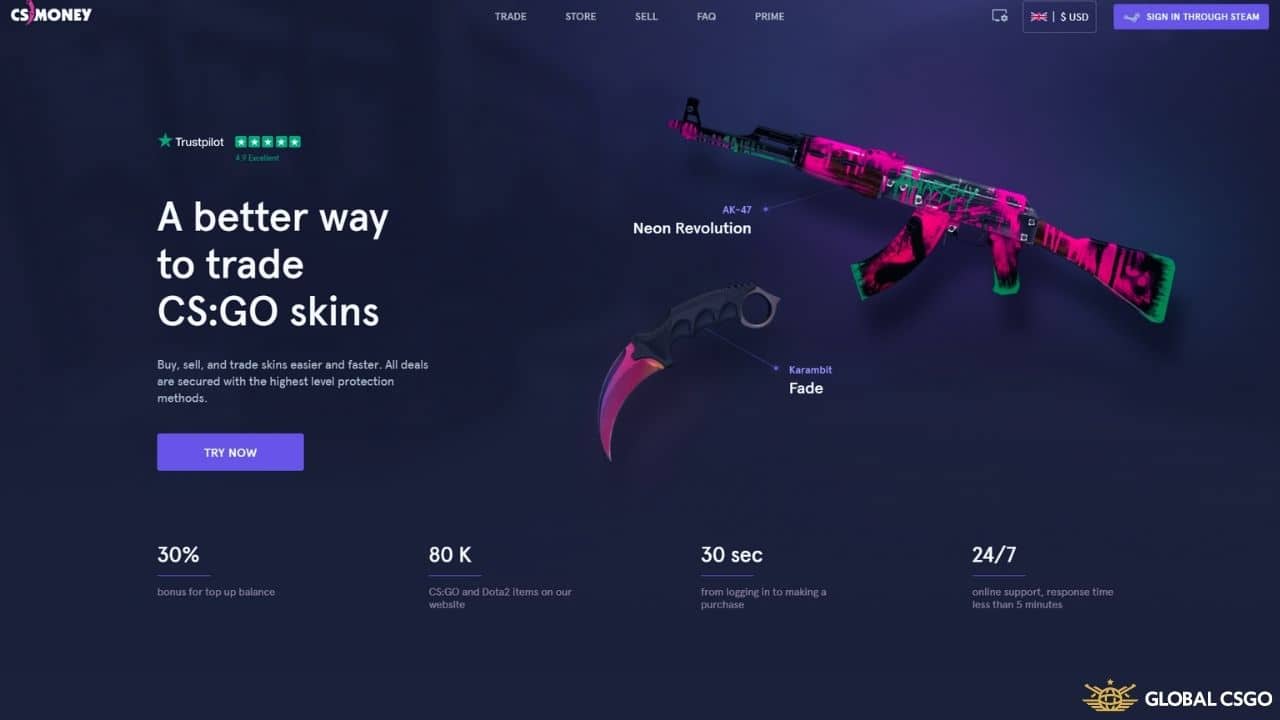 Yes - CS.Money is a legit and well-established platform for buying, selling and trading Steam items. It has operated continuously since 2016, which makes it one of the veterans of the skin trading scene, and the brand stays highly visible through YouTube creators, esports coverage and active social channels. Millions of users pass through the site each month, and that scale is part of why it has stayed near the top of the market for so long.
Its reputation is reinforced by a large body of public reviews on platforms like Trustpilot, where the long-term score has stayed strongly positive across thousands of ratings. When negative reviews appear, CS.Money's team has a track record of responding and working through issues. Like several large platforms in this space, CS.Money was targeted in a high-profile security incident in the past; the company restored affected accounts and has since reinforced its security measures, which is worth knowing as context rather than a reason to avoid the site.
As with any platform that involves real money, treat skin trading responsibly: only commit what you are comfortable with, secure your Steam account, and double-check trade details before confirming. With those basics in place, CS.Money is a trustworthy home for your CS2 and Dota2 items.
Yes - CS.Money is a legit and well-established platform for buying, selling and trading Steam items. It has operated continuously since 2016, which makes it one of the veterans of the skin trading scene, and the brand stays highly visible through YouTube creators, esports coverage and active social channels. Millions of users pass through the site each month, and that scale is part of why it has stayed near the top of the market for so long.
Its reputation is reinforced by a large body of public reviews on platforms like Trustpilot, where the long-term score has stayed strongly positive across thousands of ratings. When negative reviews appear, CS.Money's team has a track record of responding and working through issues. Like several large platforms in this space, CS.Money was targeted in a high-profile security incident in the past; the company restored affected accounts and has since reinforced its security measures, which is worth knowing as context rather than a reason to avoid the site.
As with any platform that involves real money, treat skin trading responsibly: only commit what you are comfortable with, secure your Steam account, and double-check trade details before confirming. With those basics in place, CS.Money is a trustworthy home for your CS2 and Dota2 items.
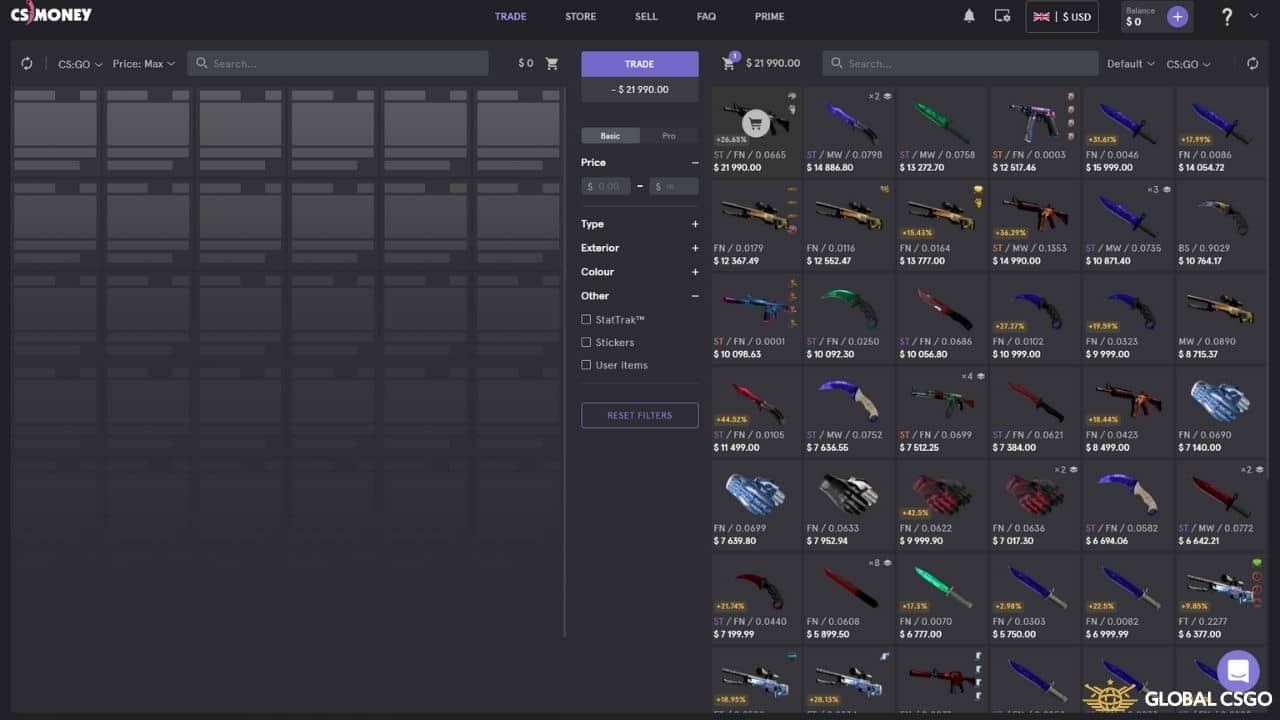 Trading is a huge part of the Counter-Strike 2 community, and CS.Money makes it about as painless as it gets. Before you start, make sure you have the essentials in place:
With those details sorted, you are ready to use the system. Here is how to trade your skins step by step:
Trading really is as quick as it looks; the whole exchange usually takes around a minute from start to finish.
Before you start eyeing up new items, make sure a few small things are ready:
With everything set up, buying skins is a quick and easy path. To buy skins on CS.Money:
If you would rather build up a balance by selling items you no longer want, that option is there too. To sell skins on CS.Money:
Depending on the mode you use and your region, balance from Market sales can be cashed out to a supported payout method - otherwise you can put it straight back to work on new CS2 skins.
Like every skin marketplace, CS.Money funds itself through commissions rather than upfront charges, and the headline point is that those fees sit well below Steam's standard 15% cut on Market transactions. Trade mode applies a percentage-based commission on the swap, while selling on the Market charges a commission on the sale price, typically scaling down for higher-value items. Buying from the Store is usually cheaper than the equivalent Steam price thanks to discounts and frequent deposit bonuses. On the payout side, deposits are accepted through a broad mix of methods - typically bank cards, PayPal and mobile wallets, with more options in some regions. Withdrawing real money from Market balance is more restricted: it routes through a limited set of methods (commonly a Visa card or PayPal), is generally processed quickly, and is subject to a minimum withdrawal amount. Because rates, supported methods and bonuses change over time and by country, always confirm the current commission and payout details on CS.Money before you commit.
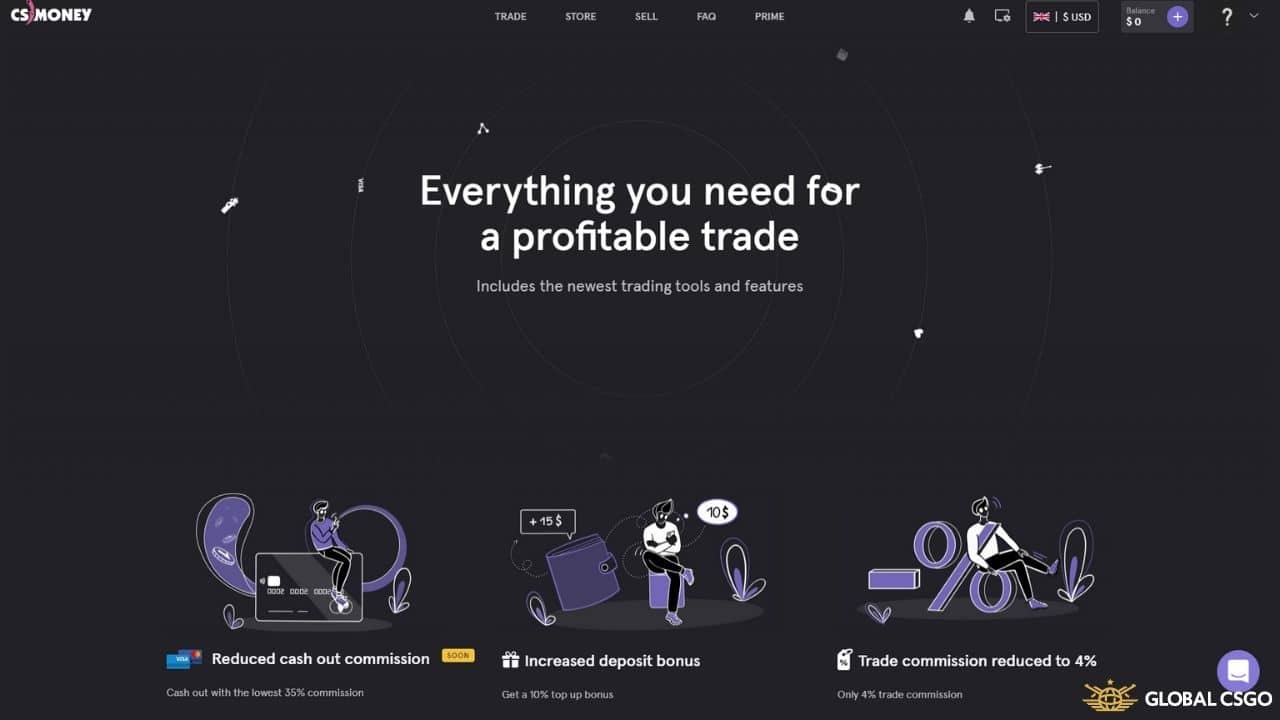 CS.Money offers an optional Prime subscription tied to your account, aimed at users who trade and buy often. While exact pricing and perks change over time, Prime has historically bundled together benefits such as:
If you only trade occasionally, the free tier is perfectly usable; Prime mainly pays off for high-volume traders. Check the current Prime page on CS.Money for up-to-date pricing and the exact perks included.
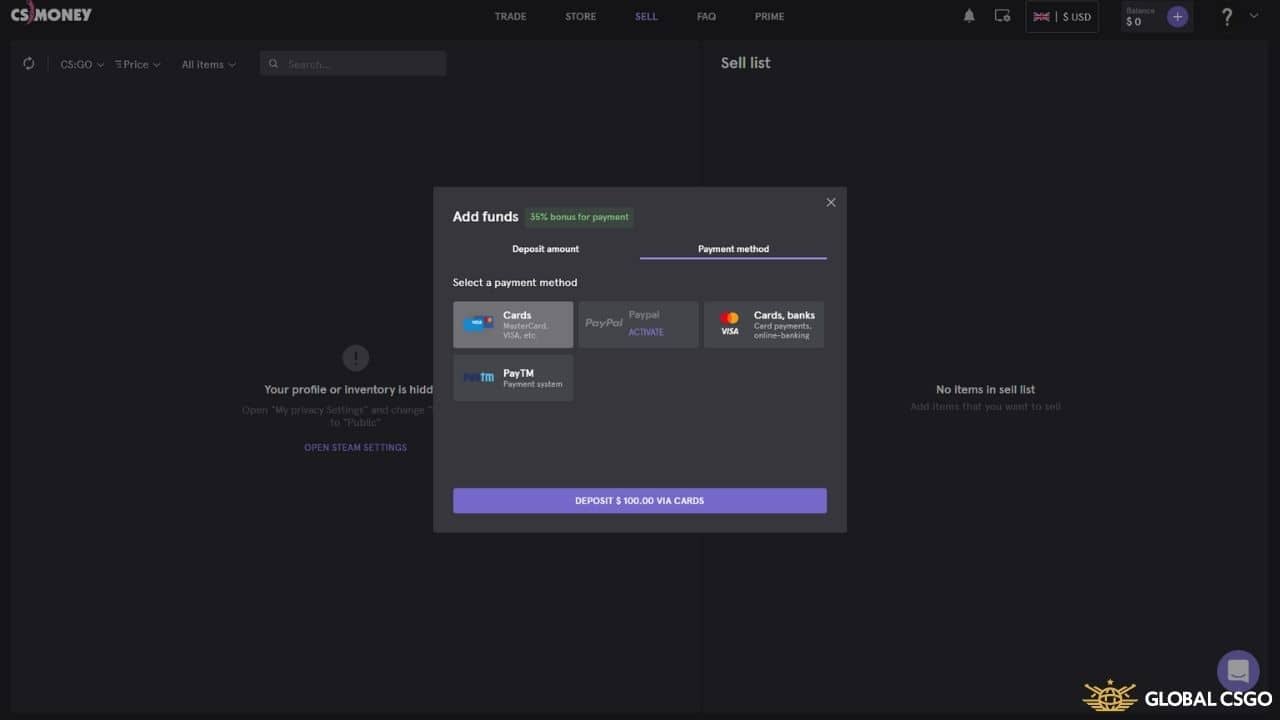 CS.Money supports a wide spread of deposit options so most users can find something that works for them, commonly including major bank cards (Visa, Mastercard), PayPal and mobile wallets, with the exact list depending on your country. There is almost always some form of deposit bonus running, giving you extra balance to spend on the site when you top up. Bear in mind that available payment methods - and which ones you can withdraw to - can vary by region, so it is worth checking what applies to you before depositing.
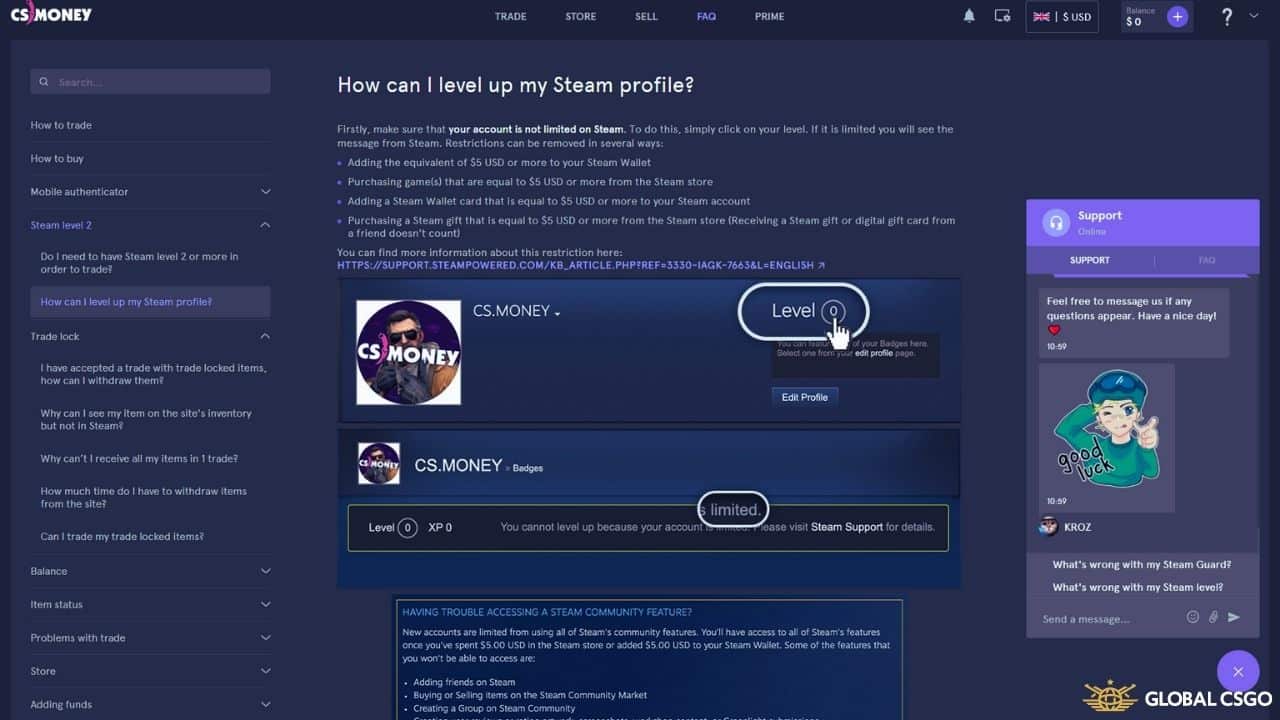 If you need a hand with any service or want to understand how something works, the support team is available 24/7 via live chat. Response times can vary a little depending on the time of day, but the team is approachable and generally quick to help. There is also a detailed FAQ page that answers most of the common questions before you even need to reach out.
We hope this CS.Money review helps you decide whether it is the right marketplace for exchanging your CS2 and Dota2 skins. It remains one of the most complete and recognizable CS2 trading sites out there, combining a polished interface, competitive pricing and broad payment support with a long, stable track record. If you are after a safe, smooth and efficient way to buy, sell or trade skins - and you want to keep more value than you would on the Steam Market - CS.Money is well worth a visit. Looking for no-deposit perks instead? It is also worth browsing options to grab free CS2 skins elsewhere on our site.
Sign up and start playing
Verified · Rated 4.5/5 · 18+
The system automatically determines it, depending on the type of item, exterior, availability of StatTrak™, popularity among the players, demand on trading platforms, etc.
If you want to use balance, you need to select an item from the bot inventory and click the "Trade" button. The required amount of money will be automatically charged off your balance. You can't use the credit to buy items.
Yes, for purchasing, you don't need the mobile authenticator, through email is enough.
No, you must rely on the prices established by other users.
Yes, you can. You can buy items only for balance and use balance and items in the same trade.
CS.Money is owned by CS VIRTUAL TRADE LTD, a legally registered company in Cyprus with registration number ΗΕ 389299.
At a glance
Offer live now · 18+ · Play responsibly
Editor's verdict
CS.Money is a trusted and user-friendly marketplace designed for easily buying, selling, and trading CS2 and Dota 2 items.
Best bit
Trusted, established CS2 marketplace operating since 2016
Watch out
Real-money withdrawals are limited to certain methods and regions
Reviewed & maintained by
GlobalCSGO Editorial Team
CS2 reviewers
Emil, Lukas and Lanzo test CS2 gambling and trading sites with their own money and re-check every bonus code monthly, so our guides reflect what actually works today.
About the teamHow we review
Spotted outdated info or a broken code? Report it.
Get Extra $0.50 For Your First Trade on TradeIt.GG
Get a $5 First Trade Bonus and a Deposit Bonus when you sign up with TradeIt using our link!

Buy, Sell & Trade CS2, Dota 2, TF2 & Rust items on DMarket

Sell Your Skins Using Skins.Cash And Receive Money Instantly!

Get 3% More For Your Skins by Using Our Referral Code!
Get 3% more for your items when you sell with SkinCashier using our link!

Use the Code and Get Your First Trade Bonus With SkinsMonkey!
Get up to $5 for free on your first trade with SkinsMonkey, depending on the value of your first exchange!

Sell your CS2 skins for real money — no buyer fees

Free 10 DAYS of access to LootBear's $2 MLN Inventory

Use Our Code And Receive Amazing Bonus to Trade on Swap.GG!

Use the CS2 Marketplace ShadowPay and buy skins at good prices!
CS.MONEY