

Swap.GG
4.0
Use Our Code And Receive Amazing Bonus to Trade on Swap.GG!
Fresh 2026 bonus codes for every CS2 & Rust site. Grab them

Reviewed by GlobalCSGO Editorial TeamLast checked September 2026How we score
Verdict
4.5
Elite
Bonus code
Code verified · Updated monthly
If you sign up through links on this page we may earn a commission. It never affects the score. Here's how that works.
DMarket is a trusted and user-friendly platform for trading, buying, and selling game items, especially popular for CS2 skins but also supporting Dota 2, Team Fortress 2, Rust, and Life Beyond. It stands out with its innovative Face2Face trading system, simplifying transactions for gamers. Available in multiple languages and accessible via mobile app, DMarket combines convenience with reliability, boasting millions of monthly users and excellent community feedback. With straightforward deposit and withdrawal methods, it remains a top choice among gamers.
Social presence
Real follower counts across 3 channels
142.8K
Strong reach
60.6K
Twitter · Followers
44K
Facebook · Likes
38.2K
Instagram · Followers
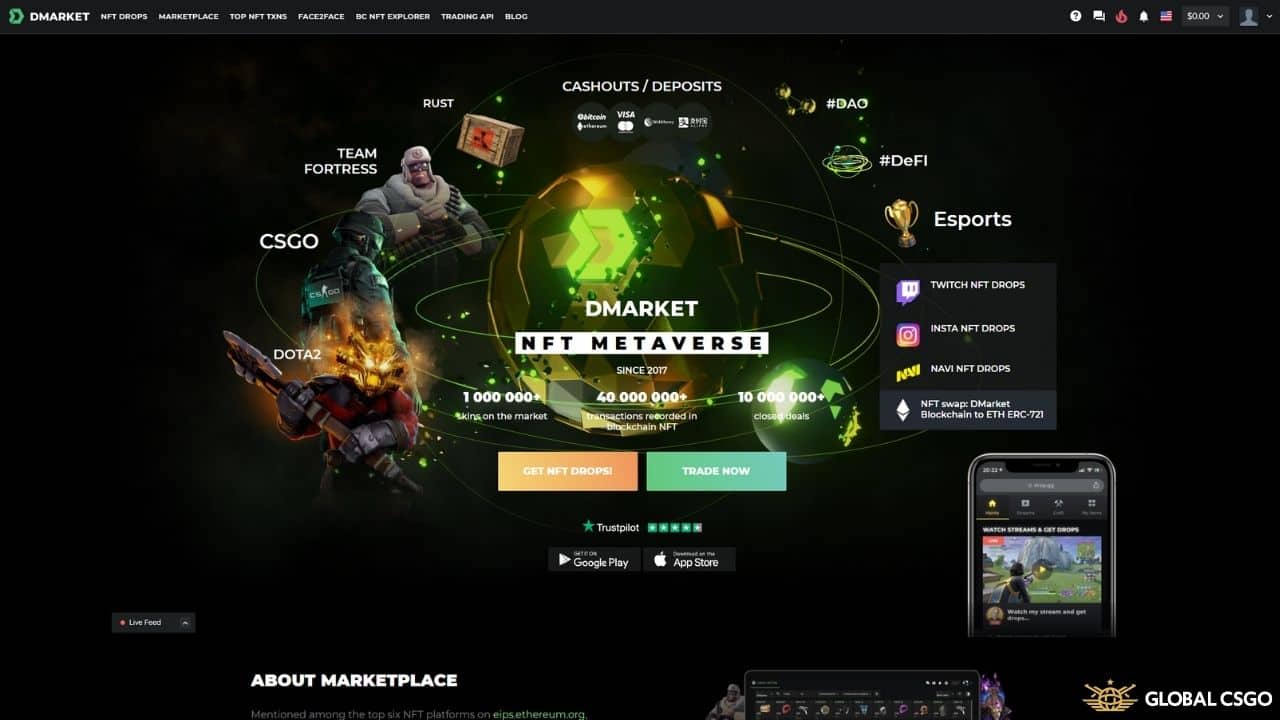
 Looking for an honest DMarket review in 2026? DMarket is one of the most established online game item trading platforms and marketplaces, letting players buy, sell, and trade CS2 skins quickly and securely. Launched back in 2017 and now part of the Mythical Games group, it has grown into one of the largest skin marketplaces outside of Steam, with roughly 2.6 million monthly visits and well over a million items listed at any given time.
While CS2 is by far the biggest market here, DMarket also supports skins and items from Dota 2, Team Fortress 2, and Rust, all from a single account. The platform is available in multiple languages, ships with a clean, beginner-friendly interface, and offers a mobile app so you can keep an eye on your inventory and prices on the go.
In this guide we break down whether DMarket is legit, how buying, selling, and trading actually work, what the fees and payout options look like, and a simple step-by-step for cashing out your skins.
Looking for an honest DMarket review in 2026? DMarket is one of the most established online game item trading platforms and marketplaces, letting players buy, sell, and trade CS2 skins quickly and securely. Launched back in 2017 and now part of the Mythical Games group, it has grown into one of the largest skin marketplaces outside of Steam, with roughly 2.6 million monthly visits and well over a million items listed at any given time.
While CS2 is by far the biggest market here, DMarket also supports skins and items from Dota 2, Team Fortress 2, and Rust, all from a single account. The platform is available in multiple languages, ships with a clean, beginner-friendly interface, and offers a mobile app so you can keep an eye on your inventory and prices on the go.
In this guide we break down whether DMarket is legit, how buying, selling, and trading actually work, what the fees and payout options look like, and a simple step-by-step for cashing out your skins.
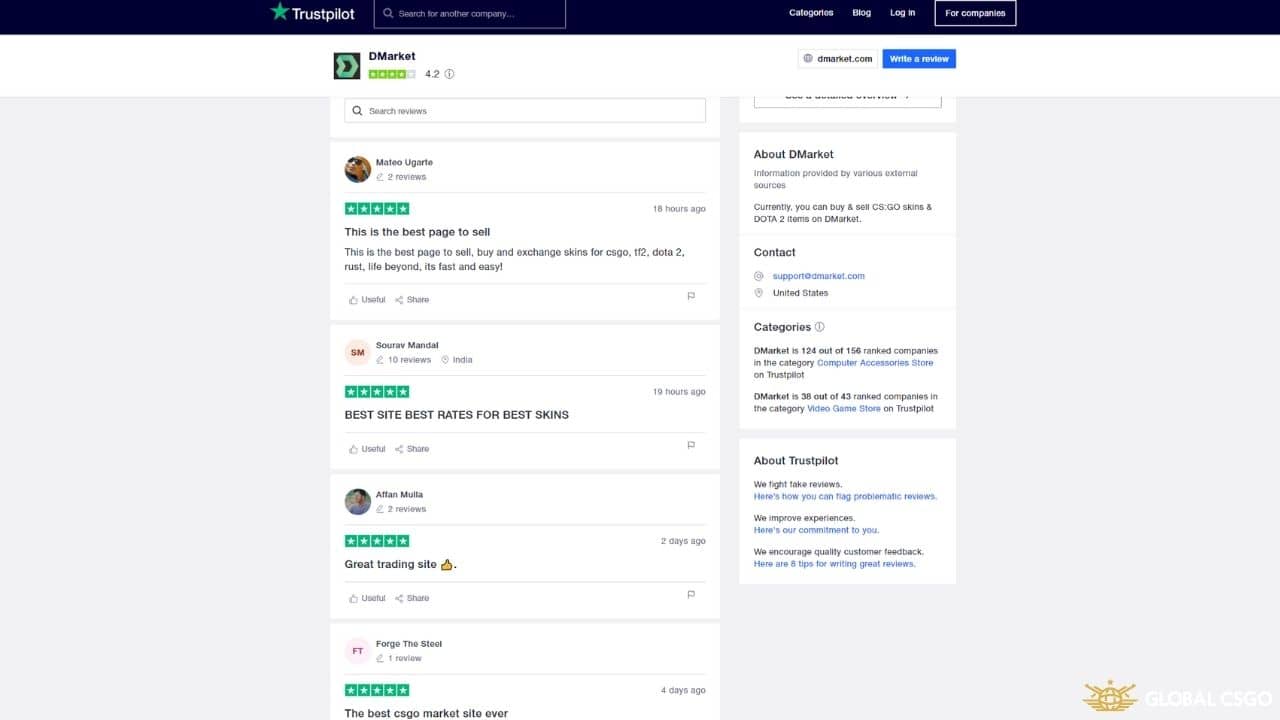 Yes - DMarket is a legitimate and well-established marketplace. It has been operating since 2017, is backed by a known parent company, and remains one of the most recognisable names in the CS2 trading community. On Trustpilot it holds a solid rating built on more than 20,000 reviews, with the majority of feedback being positive.
As with any third-party platform, the experience isn't flawless for everyone - a minority of users report occasional delays or verification questions around withdrawals, which is normal for marketplaces that handle real money. Trade responsibly: only spend what you can afford, double-check your trade URL and email before any transaction, and review DMarket's current terms before cashing out. Used sensibly, it is a safe and reliable place to handle your skins.
Yes - DMarket is a legitimate and well-established marketplace. It has been operating since 2017, is backed by a known parent company, and remains one of the most recognisable names in the CS2 trading community. On Trustpilot it holds a solid rating built on more than 20,000 reviews, with the majority of feedback being positive.
As with any third-party platform, the experience isn't flawless for everyone - a minority of users report occasional delays or verification questions around withdrawals, which is normal for marketplaces that handle real money. Trade responsibly: only spend what you can afford, double-check your trade URL and email before any transaction, and review DMarket's current terms before cashing out. Used sensibly, it is a safe and reliable place to handle your skins.
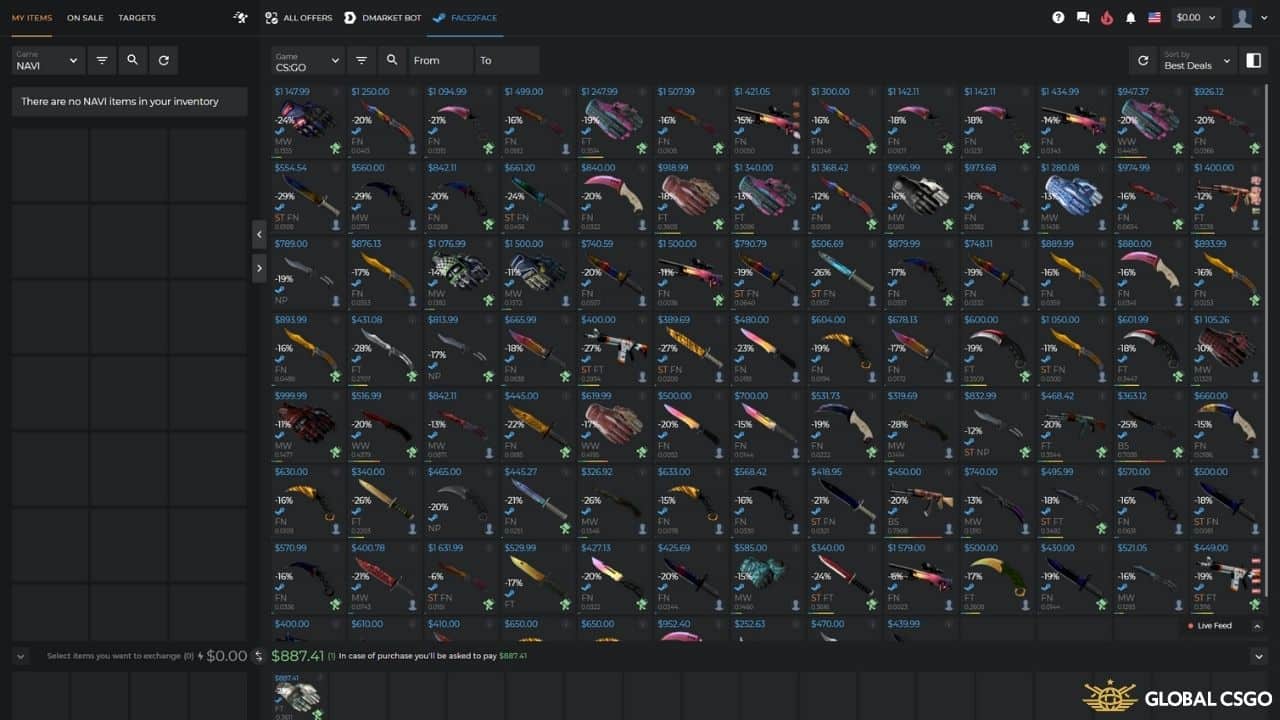 DMarket is built around three core actions, so it works whether you want to spend, cash out, or simply upgrade your inventory. Most purchases are delivered through DMarket's automated bot system for fast delivery, while the Face2Face (F2F) option lets the item stay on the seller's own Steam account until the trade is confirmed - handy for high-value or in-game-usable skins.
| Action | What you can do |
|---|---|
| Buy | Browse the marketplace, pay from your balance, and receive skins via DMarket's bots or a Face2Face trade. |
| Sell | List items instantly for a quick sale, or set your own asking price on the open market and cash out to a real payout method. |
| Trade | Exchange items from your inventory for skins on the market, paying or receiving the price difference from your balance. |
Face2Face is DMarket's keep-it-on-Steam system: it is straightforward and only takes a few steps. You always need to add your Steam API key and trade URL first. As a seller, you:
If you are a buyer, it is only slightly different:
Once the transaction is complete, you receive your items.
Buying is fast and beginner-friendly - it rarely takes more than a few minutes. Just follow these steps:
If you are still deciding where to spend, our guide to the best places to buy CS2 skins is a good companion read.
 DMarket gives you two ways to sell for real money: instantly, or by listing on the marketplace at your own price. If you want the quickest cash-out, the instant route is for you:
Prefer a full walkthrough of your options? See our dedicated guide on how to sell CS2 skins for the best returns.
If you would rather aim for a higher price by listing your CS2 skins on the open market, here is how it works:
DMarket applies a selling fee on completed marketplace sales. CS2 items are typically charged a low percentage, while other games carry a higher rate. (Exact selling and buyer fees change over time and by item - confirm the current rate on DMarket before listing. FLAG: verify exact percentages.)
If your goal is to swap items the traditional way, you are in the right place. The steps are simple:
Trading in-game items is as simple as it looks. Don't miss the chance to pick up new skins on DMarket, and keep an eye out for the best deals.
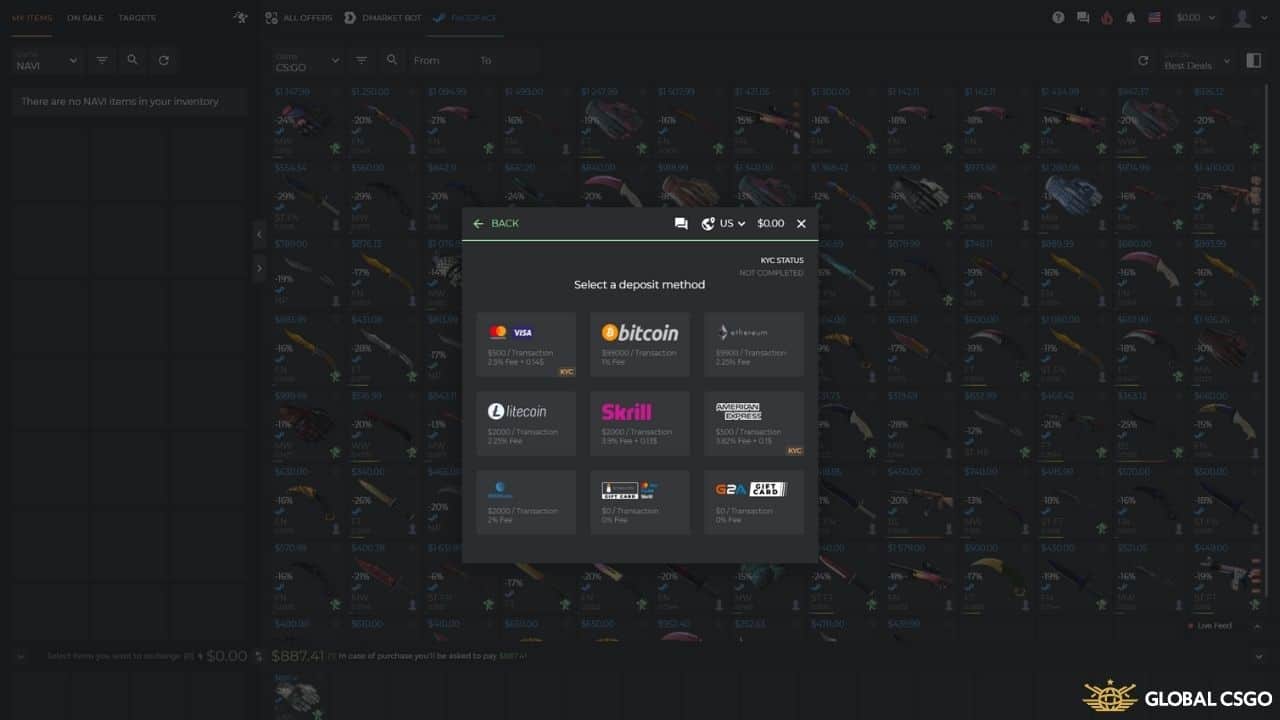 DMarket supports a wide range of deposit and withdrawal options, including major cards, e-wallets, and cryptocurrency, plus payout routes such as PayPal, crypto, Payoneer, and bank transfer. Each method carries its own processing fee and limits, and availability can depend on your country and chosen payment provider.
Fees fall into two buckets: a selling fee taken when your item sells, and deposit/withdrawal fees charged by the payment method you use. Rates are generally competitive for CS2, but they do change. (FLAG: exact deposit, withdrawal, and selling percentages and fixed fees are not pinned here on purpose - they change frequently. Always confirm the live figures on DMarket's official fees page before transacting.)
For a broader look at cashing out, our free CS2 skins resources and trading guides cover the wider ecosystem too.
DMarket supports a wide range of deposit and withdrawal options, including major cards, e-wallets, and cryptocurrency, plus payout routes such as PayPal, crypto, Payoneer, and bank transfer. Each method carries its own processing fee and limits, and availability can depend on your country and chosen payment provider.
Fees fall into two buckets: a selling fee taken when your item sells, and deposit/withdrawal fees charged by the payment method you use. Rates are generally competitive for CS2, but they do change. (FLAG: exact deposit, withdrawal, and selling percentages and fixed fees are not pinned here on purpose - they change frequently. Always confirm the live figures on DMarket's official fees page before transacting.)
For a broader look at cashing out, our free CS2 skins resources and trading guides cover the wider ecosystem too.
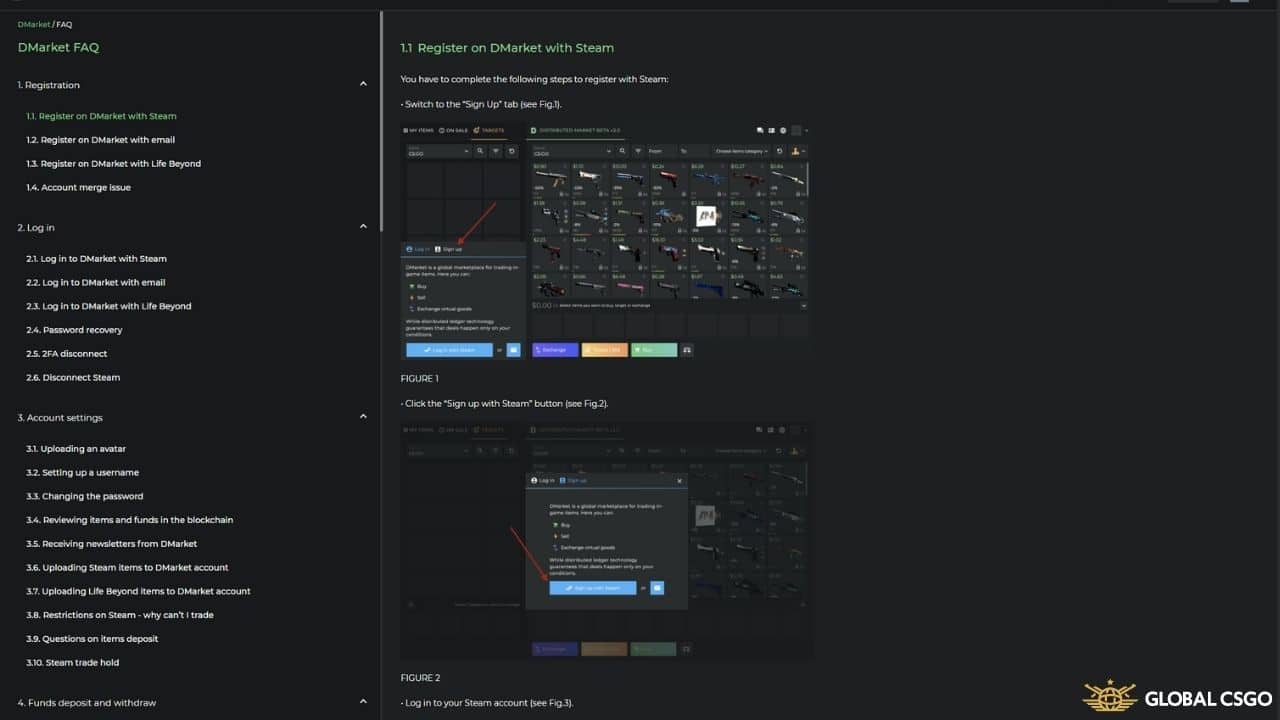 Support is mainly handled by email and a detailed Help Center rather than 24/7 live chat. The FAQ and knowledge base are thorough, so new users should read those first - they answer most common questions about trading, deposits, and withdrawals.
You can also reach the team through DMarket's social channels by sending a direct message, which is sometimes a quick way to get a reply depending on the time of day.
Support is mainly handled by email and a detailed Help Center rather than 24/7 live chat. The FAQ and knowledge base are thorough, so new users should read those first - they answer most common questions about trading, deposits, and withdrawals.
You can also reach the team through DMarket's social channels by sending a direct message, which is sometimes a quick way to get a reply depending on the time of day.
DMarket is a complete, well-rounded platform for the CS2 community, combining a large marketplace, instant selling, traditional trading, and the flexible Face2Face system in one place - all backed by a mobile app and multi-language support. It remains one of the strongest references for buying, selling, and trading virtual game items, with CS2 leading the way. Everything is well organised and easy to understand. If you are ready to start, log in and try the platform for yourself - just remember to verify the current fees and trade responsibly.
Sign up and start playing with code
Verified · Rated 4.5/5 · 18+
The Steam Web API key is a unique identifier that authenticates user requests to Steam.
No, it also has a marketplace. This means you are allowed to trade, buy, and sell items.
Yes, you can. All you need to do is click on "On sale," select the items, click on the "Delete" button.
At a glance
Offer live now · 18+ · Play responsibly
Editor's verdict
DMarket is a trusted and user-friendly platform for trading, buying, and selling game items, especially popular for CS2 skins but also supporting Dota 2, Team Fortress 2, Rust, and Life Beyond.
Best bit
Large, well-established CS2 marketplace with fast bot delivery and Face2Face trades
Watch out
No 24/7 live chat - support is handled mainly by email and the Help Center
Reviewed & maintained by
GlobalCSGO Editorial Team
CS2 reviewers
Emil, Lukas and Lanzo test CS2 gambling and trading sites with their own money and re-check every bonus code monthly, so our guides reflect what actually works today.
About the teamHow we review
Spotted outdated info or a broken code? Report it.
Sources we checked
Every claim below links to the document it came from, with the date we opened it. We only list what we could read ourselves — where an operator publishes nothing, we say nothing.
Terms of Use name DMarket Inc., Delaware registration number 7914588, alongside Mythical, Inc. (6843771); last updated 18 December 2023
Source:DMarketdmarket.comChecked
Use Our Code And Receive Amazing Bonus to Trade on Swap.GG!


Probably The Best Place to Trade Your CS2 and Dota2 Items!

Get 3% More For Your Skins by Using Our Referral Code!
Get 3% more for your items when you sell with SkinCashier using our link!

Use the Code and Get Your First Trade Bonus With SkinsMonkey!
Get up to $5 for free on your first trade with SkinsMonkey, depending on the value of your first exchange!

Sell your CS2 skins for real money — no buyer fees
Sell Your Skins Using Skins.Cash And Receive Money Instantly!

Get Extra $0.50 For Your First Trade on TradeIt.GG
Get a $5 First Trade Bonus and a Deposit Bonus when you sign up with TradeIt using our link!

Free 10 DAYS of access to LootBear's $2 MLN Inventory
DMarket
Code GLOBALCSGOTrade